Mentoring program management software
Manage the relationship before, during, and after the match.
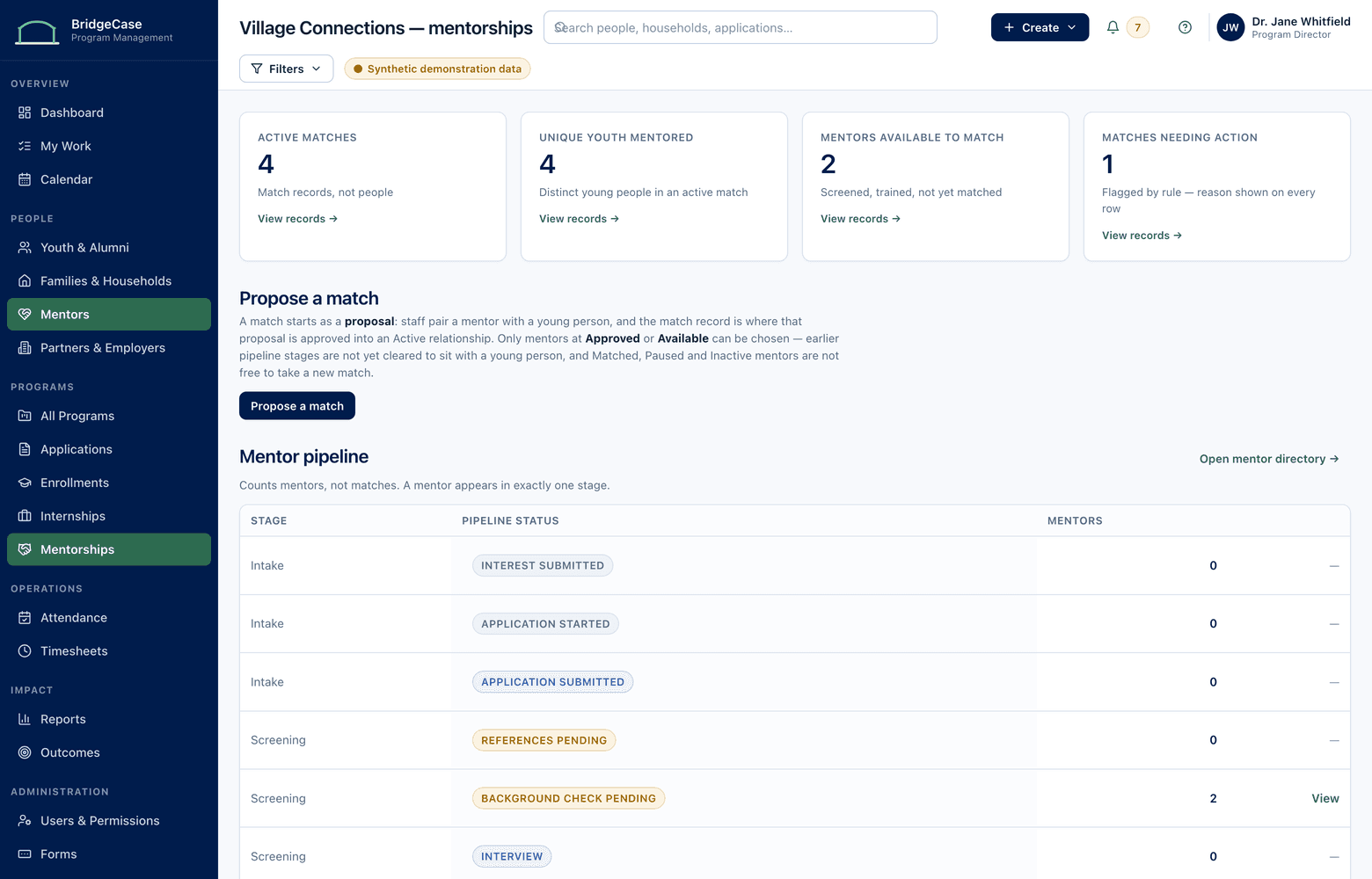
Most mentoring tools stop at matching. BridgeCase runs the whole lifecycle — recruiting, screening, background-check status, training, matching, session logs, goals, and the support that keeps relationships healthy — all connected to the youth's full program history.
The problem
A mentoring program is more than a list of pairs.
Mentor applications live in a form tool, background-check dates in a spreadsheet, session logs in email threads, and match decisions in someone's head. When a coordinator leaves, the program's institutional memory leaves with them.
Meanwhile, the young person being mentored is often the same young person in your afterschool program, your internship pipeline, and a family receiving services. Standalone mentoring software can't see any of that context — so matches get made, and supported, half-blind.
The workflow
Recruit → Screen → Train → Match → Log Sessions → Track Goals → Support the Relationship
Every stage leaves a record the next stage can use.
- 1
Recruit & screen
Mentor applications, references, interviews, and background-check status with expiration tracking — nobody is matched while a clearance is missing.
- 2
Train & match
Training completion recorded per mentor; match proposals informed by interests, availability, program context, and staff judgment. Staff decide — the system informs.
- 3
Log sessions & goals
Mentors log sessions in minutes; coordinators see frequency, gaps, and goal progress across every active match at a glance.
- 4
Support & close well
Check-in schedules, flags for stalled matches, and structured closure — with the relationship history preserved on the youth's permanent record.
Capabilities
What the mentoring module covers.
Mentor profiles
Applications, screening status, clearances with expiration dates, training, and full match history in one place.
Matching workspace
Compare candidate matches with the context that matters — interests, availability, language, and program participation.
Session logging
Fast, mobile-friendly session logs with activity type, duration, and structured notes coordinators can act on.
Goal tracking
Set goals per match, record progress at each session, and see which goals are moving and which have stalled.
Match health monitoring
Session frequency and check-in signals surface matches that need coordinator attention before they quietly end.
Program requirements
Consents, agreements, and program paperwork tracked per participant and mentor — with reminders for what's missing.
Who it helps
Value for every role in the program.
- Mentoring coordinators
- One workspace showing every match's last session, next check-in, missing paperwork, and expiring clearances.
- Program directors
- Match counts, session volume, retention, and goal progress by cohort — without asking coordinators to compile anything.
- Mentors
- A simple way to log sessions and see goals, with none of the case-management complexity they don't need.
- Data & grants staff
- Defensible counts of active matches, session hours, and outcomes for funders — pulled from source records.
Reporting
Reporting that falls out of the work.
Because screening, sessions, and goals are recorded as they happen, mentoring reports are generated — not reconstructed.
- Active matches, new matches, and closures by program and period
- Session frequency and total mentoring hours by cohort
- Background-check and training compliance across the mentor pool
- Goal progress and match-length distributions for funders
- Youth outcomes connected to mentoring participation over time
Sensitive by default.
- Session notes can be restricted to mentoring staff while activity counts stay reportable
- Background-check details visible only to roles that need them
- Mentors see their own matches — never the wider caseload
- Every access to a restricted record is logged in audit history
Frequently asked questions
Does BridgeCase automatically match mentors and youth?
No. Matching is a human decision. BridgeCase organizes the information that makes a good match — interests, availability, screening status, program context — and records the decision, but staff always choose.
Can mentors log sessions without seeing sensitive youth records?
Yes. Mentors get a limited role: they see their own matches, log sessions, and view goals. Case notes, family information, and other program records stay with staff roles.
How does BridgeCase handle background-check tracking?
Screening steps, clearance dates, and expirations are tracked per mentor, with reminders before anything lapses. BridgeCase records the status; your organization's screening policy and providers stay in control of the checks themselves.
We run mentoring alongside other programs. Why does that matter for software?
Because the same young person often shows up in several programs. With one connected record, a mentor match can be informed by — and reported alongside — internships, attendance, and family services, without duplicate data entry.
Can we migrate our existing mentor and match history?
Yes. Implementation includes importing approved historical data — mentors, matches, sessions, and screening records — with validation before anything goes live.
See what one connected system could look like for your organization.
We will tailor the conversation to your programs, users, reporting needs, and current tools.
No youth or family data is required to request a demo.